Table of contents
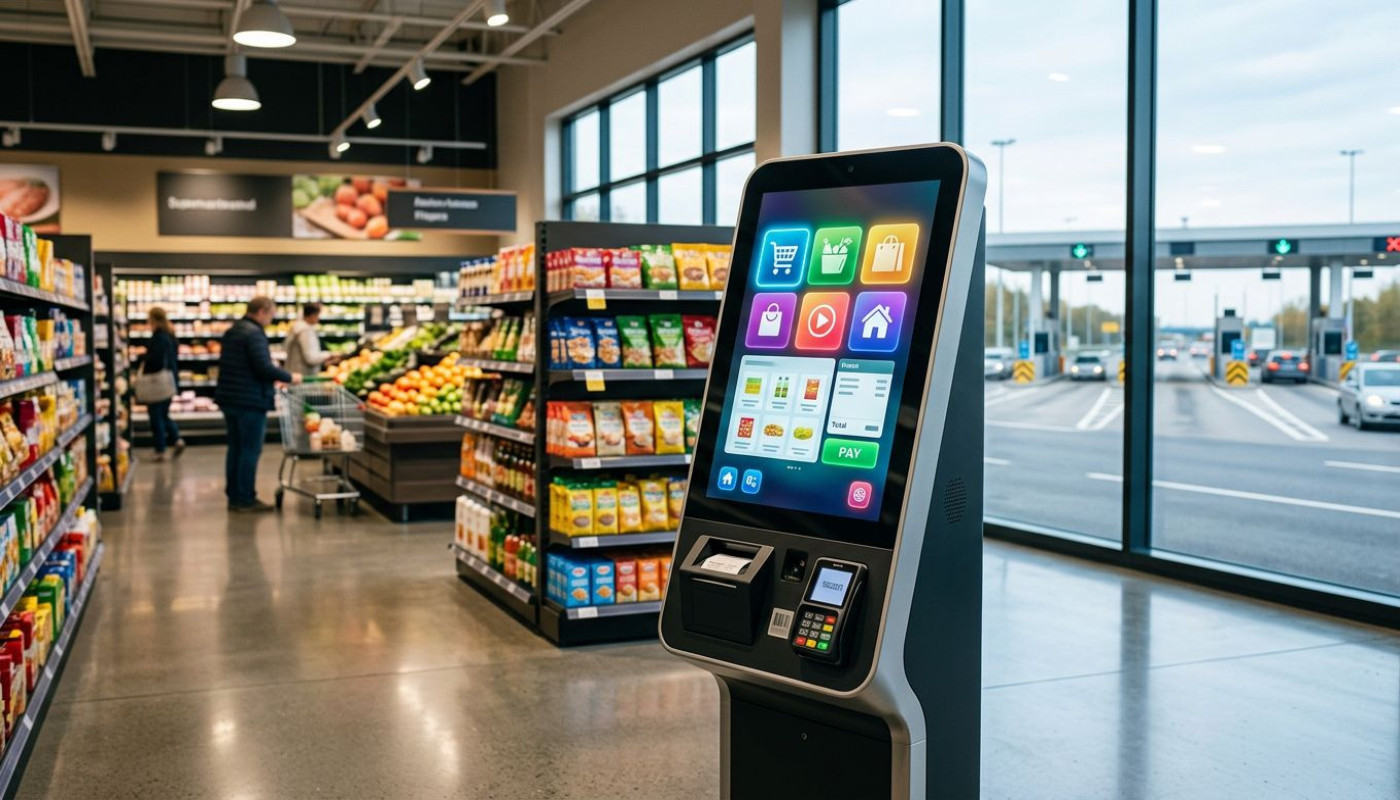
At the grocery store, at a motorway rest stop, or in a hospital lobby, the same scene keeps repeating itself: customers tap a screen, scan a code, pay, and move on, often without speaking to anyone. Self-service kiosks have shifted from a convenience to a default interface in everyday life, propelled by labour shortages, rising operating costs, and a public newly accustomed to contactless, on-demand transactions. The result is not just faster queues, but a quiet redesign of how services are delivered, staffed, and secured.
Why kiosks suddenly feel unavoidable
Queues are no longer tolerated the way they once were, and that impatience is measurable. In retail, the rise of self-checkout has been one of the clearest signals of the kiosk era, with major chains expanding machine-assisted lanes as shoppers prioritise speed and control. Yet the underlying driver is not only consumer preference, it is also economics, because staffing a traditional checkout or service counter has become harder and more expensive across many developed markets. In the United States, the Bureau of Labor Statistics has repeatedly recorded elevated quit rates in leisure and hospitality since 2021 compared with pre-pandemic patterns, and while conditions vary by country, employers in restaurants, convenience retail, and transport hubs broadly report the same constraint: recruiting is difficult, training is costly, and turnover disrupts service.
For operators, kiosks offer predictability. A screen does not call in sick, does not require shift coverage, and can keep selling when peak demand hits, which explains why deployment has accelerated far beyond supermarkets. Quick-service restaurants, cinema chains, and pharmacy groups have leaned on kiosks to absorb ordering, ticketing, and routine payments, while keeping staff available for exceptions, complaints, and higher-value assistance. Analysts have also linked kiosk adoption to higher average order values in food service, partly because digital menus make it easier to upsell add-ons and premium options, and because customers browsing privately may be more willing to customise; those behavioural effects, reported across multiple industry studies, help justify upfront investment.
There is also a design shift at play. Kiosks are no longer clunky terminal-like devices with slow workflows, they are increasingly treated as part of a broader “experience layer”, integrated with mobile apps, loyalty accounts, and digital signage, so that the same customer profile follows the user from phone to store to pickup point. That interoperability is what makes kiosks feel unavoidable: once payments, identity, and inventory systems are connected, removing the kiosk becomes harder than adding it. The pressure is strongest where throughput matters, because shaving even 20 seconds per transaction can change the shape of a queue, and in busy locations that translates into fewer abandoned purchases and fewer flashpoints for staff.
Supermarkets set the template, others copy it
Grocery retail is where many consumers first learned kiosk behaviour, and it remains the sector that normalises it at scale. Self-checkout lanes, weigh-and-scan stations for produce, and “scan as you shop” systems have turned the supermarket into a live test environment for frictionless payment. But the more important export is the template itself: standardised interfaces, consistent prompts, and a workflow that requires minimal explanation. Once a customer knows how to scan, bag, and pay, that knowledge transfers easily to train stations, parking garages, and fast-food counters, which is why adoption outside grocery has been so rapid.
Transport is one of the clearest examples of that copy-and-paste effect. Ticket vending machines existed long before the current kiosk wave, but modern units are more than dispensers, they are multi-service desks handling refunds, seat upgrades, travel cards, and even identity checks in some settings. Airports have followed a similar path; self-service bag-drop systems and check-in kiosks were already common in the 2010s, yet the push for touchless processes during the pandemic turned optional lanes into default ones. In hospitality, hotel check-in kiosks and digital room-key distribution have expanded, especially in budget and mid-range segments where staffing a 24-hour front desk is expensive, and where late arrivals expect a seamless handover.
Healthcare, too, is quietly becoming a kiosk ecosystem. Clinics and hospitals increasingly use self-service points for appointment check-in, wayfinding, and payment, in part to reduce administrative bottlenecks. The logic is similar to retail, but the stakes are higher: a kiosk that correctly verifies patient details can reduce errors and speed up triage, while a poorly designed one can create confusion or exclude vulnerable users. That is why the best deployments tend to pair machines with visible staff support, at least during transition periods, and why accessibility standards, language options, and clear privacy cues matter as much as screen size.
The hardware battle: durability, security, integration
“It’s just a screen” is the fastest way to underestimate a kiosk. In the field, machines face spilled drinks, heavy daily use, temperature swings, deliberate damage, and the simple fact that a device out of service is not merely broken, it becomes a queue generator. Durability, therefore, is not a luxury feature; it is operational insurance. Operators typically look for robust enclosures, reliable touch interfaces, and components designed for long duty cycles, because consumer-grade tablets mounted on a stand often fail under sustained public use. Placement matters as well, since glare, cold, humidity, and vibration can degrade performance, and in outdoor or roadside settings the environment is often harsher than planners expect.
Security has also moved to the centre of kiosk strategy. Payment terminals must comply with strict standards, and increasingly kiosks handle sensitive data beyond card transactions: loyalty accounts, phone numbers, email addresses, and in some contexts identity verification. That makes physical tamper resistance, secure mounting, and protected cable routing part of the design brief, not an afterthought. Cybersecurity adds another layer, because kiosks are networked endpoints; patching, remote monitoring, and controlled software updates are essential to avoid turning a service point into a vulnerability. The most mature operators treat kiosks like any other fleet of critical devices, with centralised management tools, health checks, and clear incident response procedures.
Integration is the less visible, but decisive, battleground. A kiosk that cannot talk cleanly to stock systems, kitchen screens, ticketing databases, or CRM tools will create workarounds, and workarounds create errors. That is why businesses increasingly seek modular configurations and vendor support that can align hardware with the software stack they already use, rather than forcing an overhaul. In that context, selecting a provider is as much about engineering and deployment competence as it is about the unit’s appearance, and decision-makers scrutinise factors like component availability, maintenance cycles, and the ability to customise peripherals such as scanners, printers, cameras, or accessibility aids. For organisations evaluating kiosk formats and configurations, Aventech offers an overview of different kiosk options, which can help frame the trade-offs between design, environment constraints, and functional requirements.
What kiosks change for workers and customers
The most contentious question is also the most human one: do kiosks replace workers, or do they change the job? In practice, both outcomes exist, and the difference often depends on how the deployment is managed. In supermarkets, self-checkout frequently shifts staff from scanning items to supervising multiple lanes, resolving errors, checking age-restricted purchases, and helping customers who struggle with the interface. In restaurants, kiosks can reduce the need for order-taking at the counter, but they can also reallocate labour to food preparation, delivery handoff, and dining-room service, especially when demand remains strong. The net effect is often a reduction in routine interactions, not necessarily a disappearance of staff, although in low-margin environments, fewer staffed positions can be part of the business case.
For customers, the trade-off is speed and control versus friction and exclusion. Many people appreciate being able to browse menus without pressure, split payments, or manage complex orders quietly, and kiosks can reduce language barriers when interfaces offer multiple translations. But the same system can frustrate users who are uncomfortable with technology, who have disabilities not accommodated by the design, or who simply prefer human contact. Accessibility is therefore not a compliance box to tick; it is central to adoption. Features such as adjustable screen angles, audio guidance, tactile cues, high-contrast modes, and clear error recovery can determine whether kiosks improve service or create a second queue: the one for help.
There is also a behavioural shift that businesses are still learning to manage. Kiosks generate data, detailed, timestamped, and often linked to product choices, which can be used to optimise layouts, staffing, and promotions. Yet data collection raises privacy expectations, and brands that overreach can face backlash. The best operators communicate clearly about what is being collected, keep opt-ins meaningful, and avoid turning the kiosk into a surveillance device. Meanwhile, the simplest indicator of success remains stubbornly old-fashioned: whether the line moves. When kiosks reduce wait times, cut errors, and keep service consistent during rush periods, customers forgive a lot; when they freeze, mis-scan, or force confusing steps, they become a symbol of cost-cutting at the expense of people.
Planning your rollout: budget, timing, support
A kiosk rollout works best when it is treated as a service redesign, not a gadget purchase. Pilot first, budget for maintenance, and schedule on-site support during the early weeks; many organisations also qualify for local digitalisation grants or accessibility-related funding depending on sector and region. Most importantly, plan for mixed service, with staffed help nearby, until usage stabilises and failure points are fixed.
Similar

How Personalized AI Companions Enhance Daily Interactions?

How To Integrate Conversational AI Into Customer Service To Improve User Engagement

When Identity Verification Fails: True Stories Of Misplaced Trust Online

Ensuring Seamless User Experiences During A Kubernetes Cluster Upgrade
